

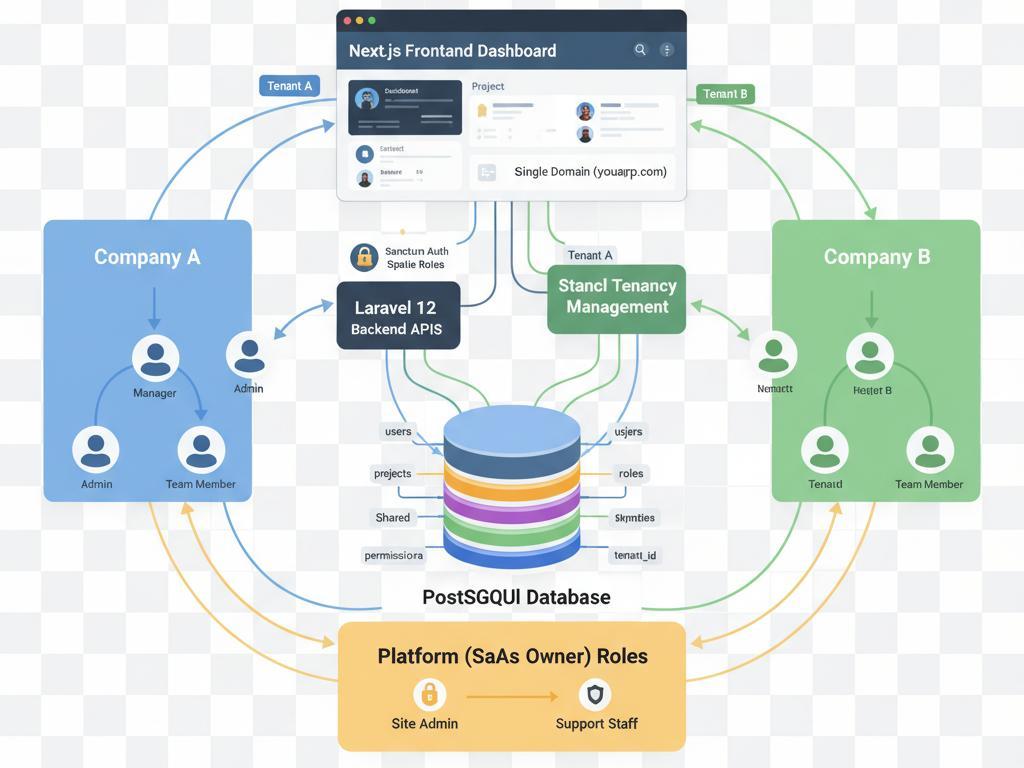
The diagram above is what many B2B SaaS teams want: one product, many customers, and no separate frontend release every time someone signs up. This post explains the idea in plain terms — a marketing domain for trials and a workspace subdomain for day-to-day use.
The problem
Most teams start simple: one app, one login page, and the product behind a shared URL. That works until buyers expect their own subdomain, trial signup needs to stay public, and the live product needs to feel like their tool — not a shared portal with an org switcher.
Customer #500 should not mean frontend deploy #500. The goal is one codebase and one release process, while still giving each customer a URL that feels like theirs.
Two domains, one app
Think of your product as having two public faces, both served from the same application:
- Marketing site — yourapp.com — Where prospects apply for a trial, get approved, and complete setup
- Customer workspace — acme.yourapp.com — Where that customer’s team signs in and uses the product every day
How a new customer goes live
- Step 1: The customer owner submits a trial request on your marketing site.
- Step 2: Your team reviews and approves the application.
- Step 3: The owner completes activation on the marketing domain.
- Step 4: Their workspace subdomain is created and marked ready.
- Step 5: The customer team signs in on acme.yourapp.com and works there — without seeing trial or signup flows on their subdomain.
Same design system. Same release process. Two different experiences depending on which domain the user visits.
The core idea
Many domain names can point at the same application. What changes is context: visitors on yourapp.com should only see marketing and trial pages; visitors on acme.yourapp.com should only see that customer’s workspace.
              ┌─────────────────────────┐
              │   One application       │
              └───────────┬─────────────┘
                          │
         ┌────────────────┴────────────────┐
         ▼                                 ▼
  yourapp.com                    acme.yourapp.com
  Trial & signup                 Product & team work
  Public funnel                  Customer workspace
Users never choose “marketing mode” or “workspace mode” in the UI. The domain they land on defines what they are allowed to see.
What belongs on each domain
Marketing domain (yourapp.com)
- Trial signup and application forms
- Account activation after approval
- Internal review screens for your sales or ops team
- Status pages while a workspace is being prepared
Workspace domain (acme.yourapp.com)
- Sign-in and the main product dashboard
- Day-to-day features such as jobs, projects, or billing
- Team invite links that new members can open before they have an account
Rules that keep the split clean
- On yourapp.com, product screens should not appear — send users to the homepage or trial flow instead.
- On acme.yourapp.com, trial and signup pages should not appear — send users to the workspace home instead.
- Unknown or unprovisioned subdomains should not show a blank workspace or someone else’s data.
From trial to live workspace
Phase 1 — Trial
- The customer applies on your marketing site.
- Your team reviews and approves the request.
- The customer completes activation.
- They see a clear “your workspace is being set up” message while provisioning runs.
Phase 2 — Go-live
- The customer’s subdomain becomes active.
- Default data and an admin account are prepared.
- The workspace is marked live when everything is ready.
Phase 3 — Daily use
- Users sign in on their subdomain.
- Managers invite teammates with workspace-specific links.
- All product work stays on the customer’s domain.
Until go-live completes, the customer subdomain should show a preparing message — not the full product and not the marketing trial funnel.
Emails should follow the same split: trial messages link to yourapp.com; product and team messages link to the customer’s subdomain. Mixed links confuse users and cause broken flows.
Why this scales
- One codebase and one release pipeline serve every customer.
- Each customer gets a branded subdomain without a custom deploy.
- Marketing and product feel separate to users but stay easy to maintain for your team.
- New customers can go live without waiting on a frontend release.
- Optional custom domains (such as app.bigclient.com) can point at the same workspace experience.
What to watch for
- Every new page must be clearly marketing, workspace, or public-on-workspace — ambiguity creates leaks between the two surfaces.
- Wrong links in emails or docs break flows silently; keep host rules documented for your team.
- Trial and workspace need separate QA — a change on one domain can look fine while the other breaks.
- This pattern shapes the frontend experience; tenant isolation still belongs in your backend and data layer.
When it fits — and when it does not
Good fit
- B2B SaaS where each customer expects their own subdomain
- A multi-step journey from trial to provisioning to go-live
- You can manage DNS and offer optional vanity domains
Poor fit
- Single-tenant tools with one login for everyone
- Consumer apps that are fine with profile URLs on one domain
- Signup and product are the same logged-in experience on one site
Bottom line
You can ship one application and still give customers a dedicated workspace URL. Keep trial and marketing on your main domain, keep product work on each customer’s subdomain, and add new customers without shipping a new frontend for each one.
It is more structure than putting every user on the same login page, and far lighter than maintaining a separate codebase per customer.